
Chromaforge
Chromaforge: Your photos. Your pixels. Your machine.
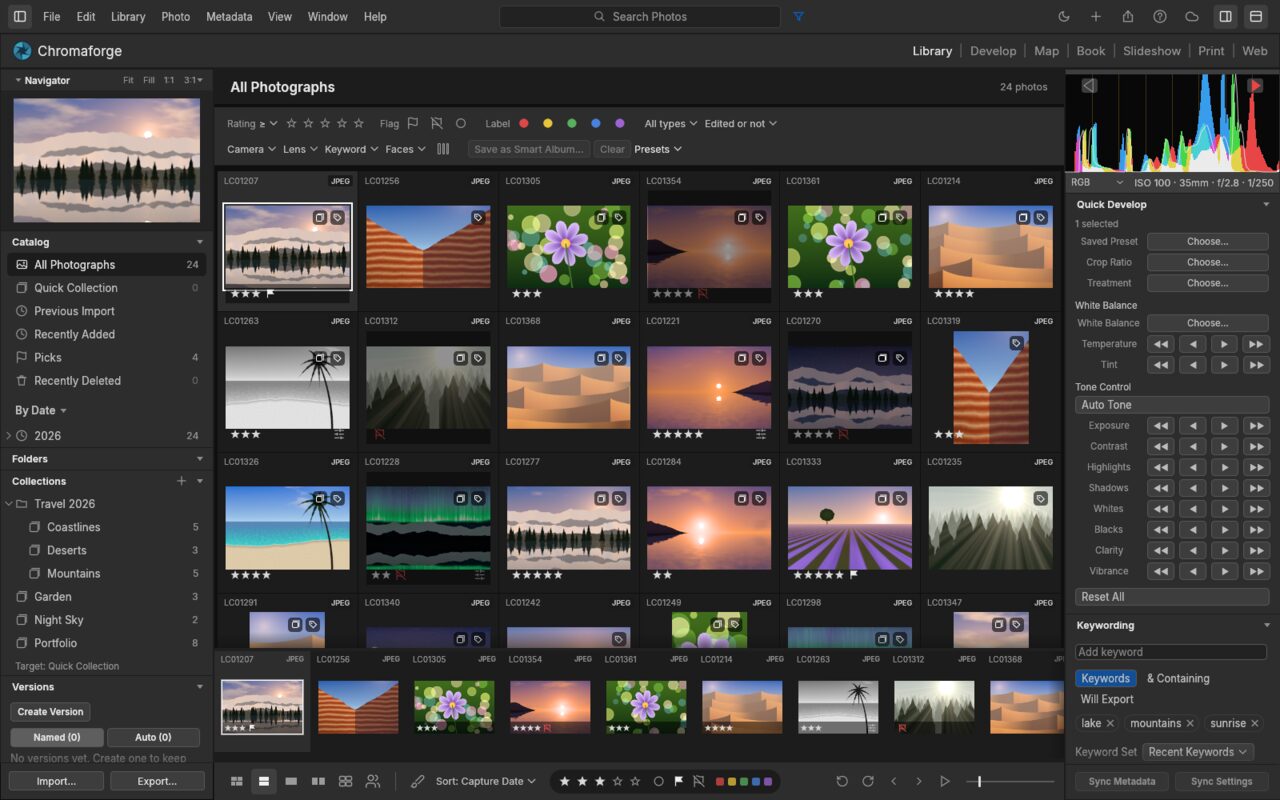
Chromaforge is a photo library and non-destructive raw developer in the Lightroom Classic layout: one catalog and seven modules (Library, Develop, Map, Book, Slideshow, Print and Web). It has its own raw decoders and a scene-referred GPU/CPU develop pipeline, written in pure Rust. There’s no subscription and no cloud.
- Native on macOS, Windows and Linux, in the browser via WebAssembly, and early on Android
- Local-first: no account, no cloud, no telemetry, no subscription. The network is only used for things you turn on
- Non-destructive: originals are never touched; edits live in the catalog and, if you like, in XMP sidecars
- Drivable end to end by AI agents over MCP, with undo for everything they do
- Open source (MIT)
Seven Modules, One Catalog
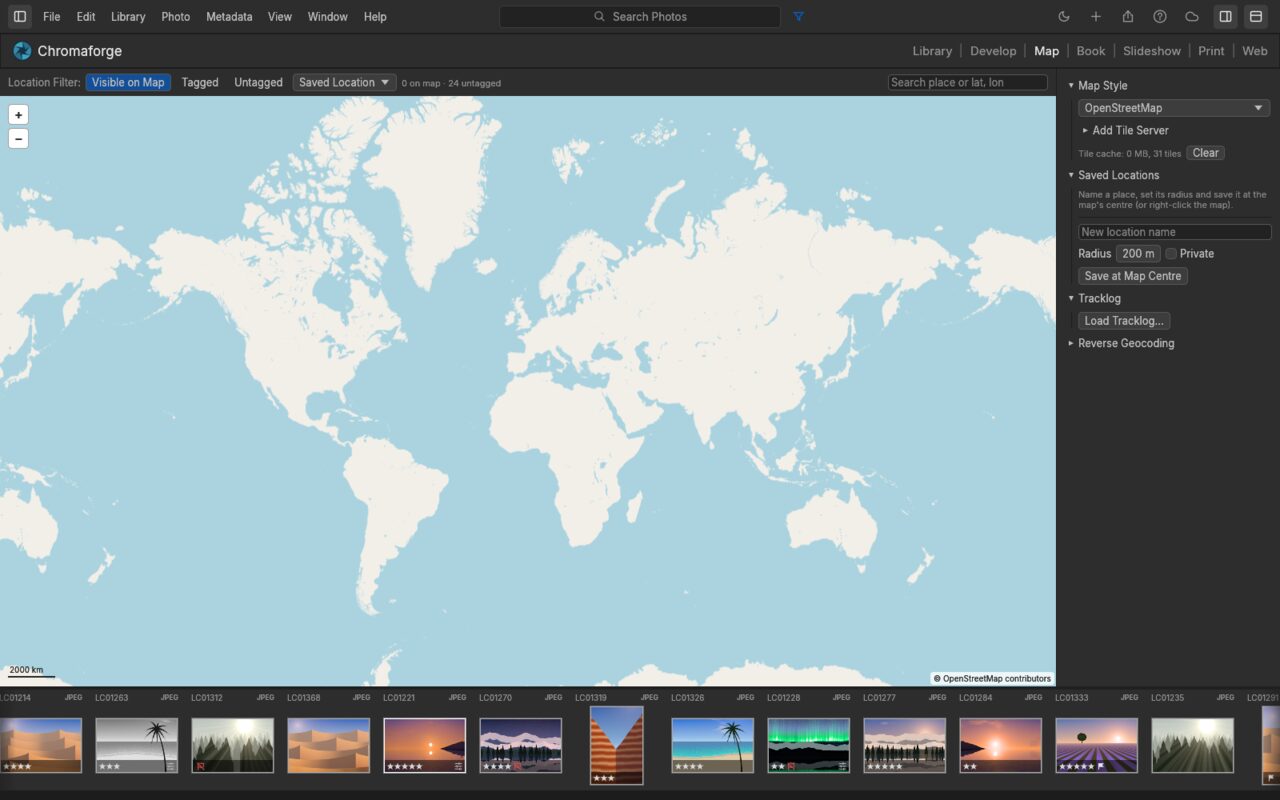
Library and Develop are where you spend your day. Map, Book, Slideshow, Print and Web turn the same photos into places, books, shows, prints and websites without exporting first.
- Develop: non-destructive raw development, from white balance to masks
- Map: geotag by drag and drop, saved locations, GPX tracklogs, reverse geocoding
- Book: auto layout, templates, text cells and covers; exports a print-ready PDF
- Slideshow: play full screen, or export the show as PDF or JPEGs
- Print: single images, contact sheets and picture packages; colour-managed with printer profiles
- Web: static HTML galleries, previewed live and uploaded over SFTP
Editing
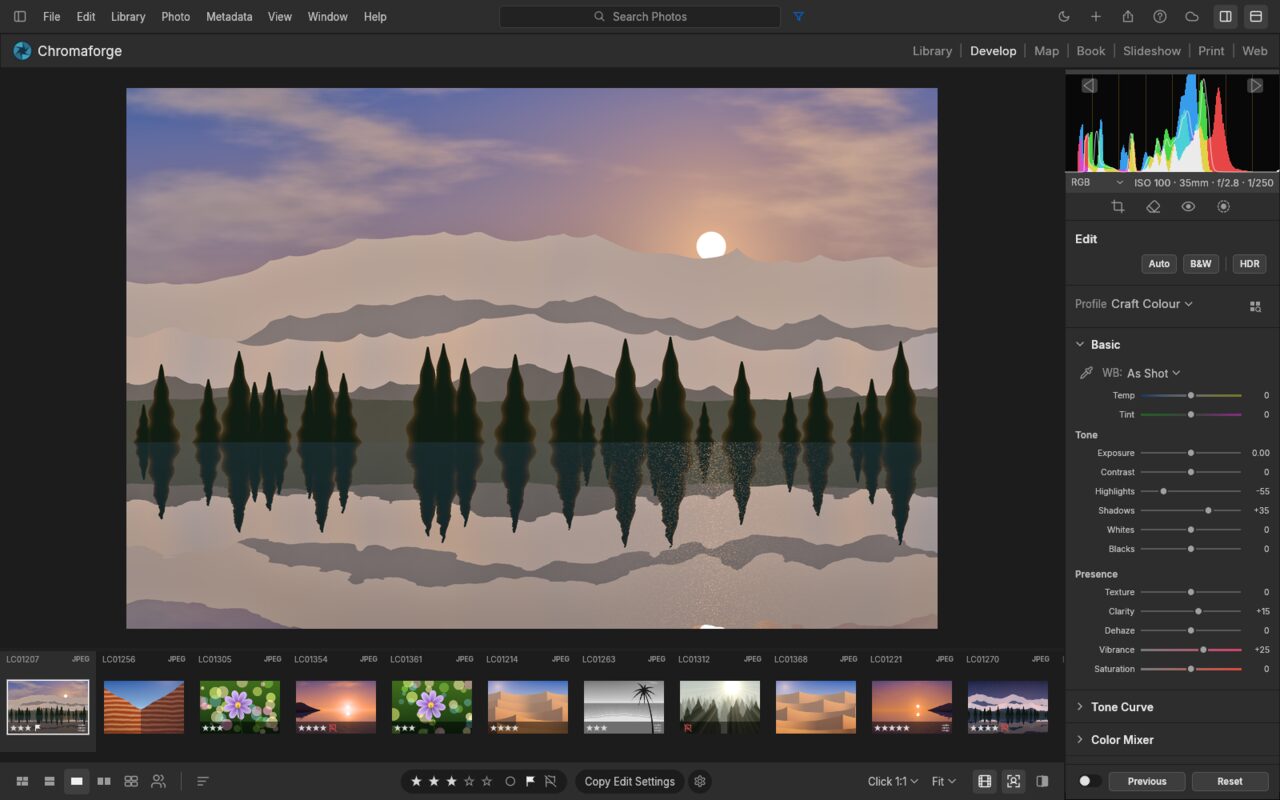
Every slider renders through a scene-referred, wide-gamut, 32-bit float pipeline. Highlights roll off like film, shadows open up without halos, and colour stays clean from capture to export.
- Light: Exposure, Contrast, Highlights, Shadows, Whites and Blacks, with edge-aware local tone mapping
- Color: white balance with an eyedropper, skin-protecting Vibrance, an 8-band Color Mixer and 3-way Color Grading, all in OkLCh
- Effects: Texture, Clarity, Dehaze, post-crop Vignette and resolution-independent film Grain
- Tone Curve: parametric and point curves, monotone by construction
- Crop & geometry: locked or free aspect ratios, straightening, overlays, manual transforms and Upright
- Black & White: one key to monochrome, an 8-band B&W Mix, then tone it with Color Grading
- Presets: eighteen hand-built presets with an Amount slider from 0 to 200%, plus your own
- Scopes: RGB, Luminance and Chroma histograms, plus Waveform, RGB Parade and Vectorscope
Masking
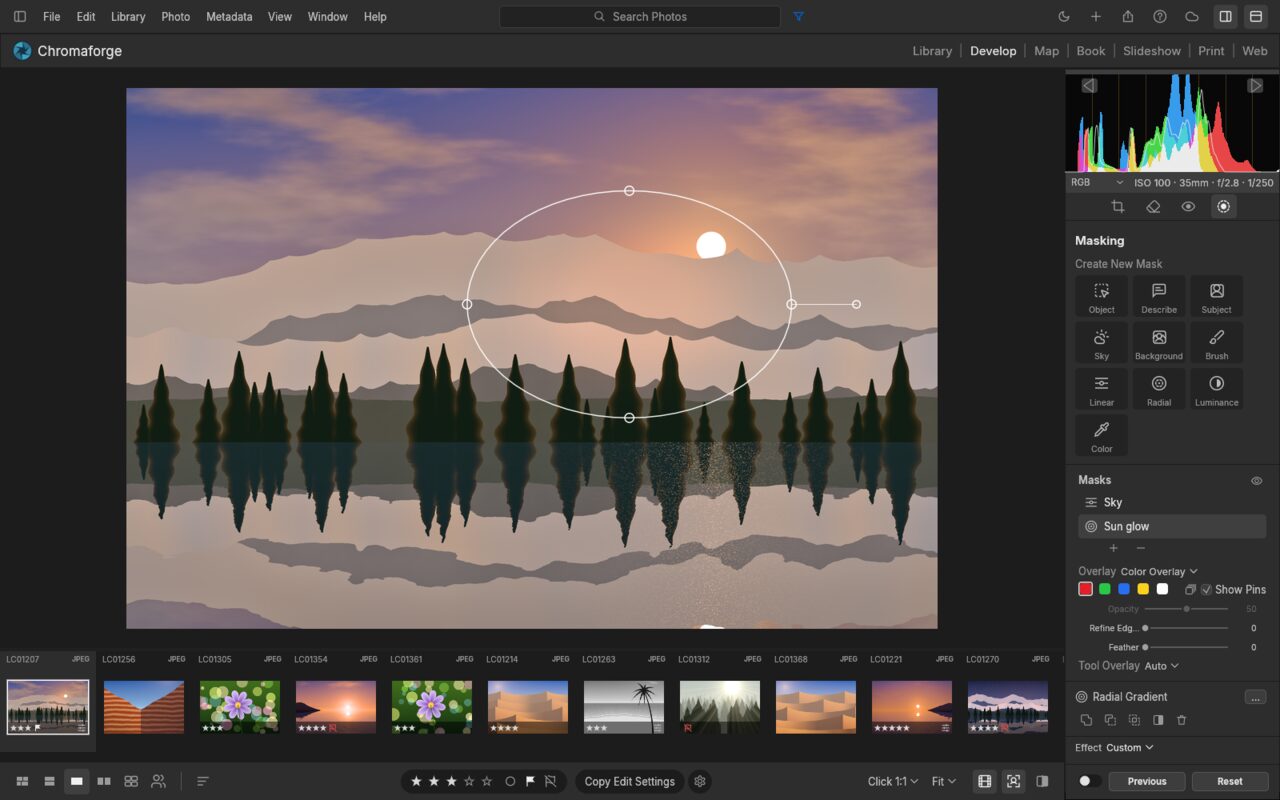
Paint with a Brush, drop Linear and Radial Gradients, or select by Luminance Range, Color Range, Sky, Subject, Background and Object. Combine components with Add, Subtract and Intersect, invert any of them, and use 15 local adjustments per mask.
Library, Culling & Video
- Catalog, By Date, Folders, Collections and smart collections
- Ratings, flags and colour labels from the keyboard, with field-aware search:
rating:>3 flag:pick iso:>800 keyword:mountains - Survey and Compare views for narrowing down a shoot
- Virtualized grids that stay smooth with forty photos or forty thousand
- Video in the same library: H.264, HEVC, VP9, AV1, ProRes, DNxHR and more, decoded in pure Rust, with trim, grading and export
Beyond the Darkroom
- Lightroom migration: imports a Lightroom Classic
.lrcat, including collections, smart collections, stacks, history and snapshots - Immich: two-way metadata and album sync, People and smart search, and Immich as a publish service
- Tethering: a watched folder, or native PTP over USB or Wi-Fi
- Plug-ins: sandboxed WebAssembly plug-ins for commands, export, metadata and publish services
- Print: printer ICC profiles, rendering intents, 16-bit output, and printing to IPP/CUPS printers
- Network drives: catalogs and photos on SMB/NFS mounts and UNC paths
Built for Agents
Every menu item, slider, brush stroke, crop handle and keystroke is a command with a stable ID and JSON parameters. The UI, the keyboard, the CLI, a JSON-lines control channel and an MCP server all go through the same entry point. An agent can cull a shoot, develop it, mask a sky, export it, and see the result.
engine.commandslists every command;develop.controlslists every slider’s range and value- The MCP server runs headless, or attached to the running app with screenshots, clicks and gestures
- A scriptable CLI runs any chain of commands and prints one JSON result per command
- Everything an agent does can be undone
Fast, Native, Private
- Pure Rust, no C: its own RAW decoders (DNG, CR2/CR3, ARW, NEF, RAF including X-Trans, RW2, PEF, ORF), its own colour science and its own pipeline
- Scene-referred & wide-gamut: linear Rec.2020 float internally, with gamut mapping instead of clipping
- GPU-accelerated, CPU-exact: the develop pipeline runs as wgpu compute kernels (Metal, Vulkan, DX12), checked against the CPU pipeline to within 1/255. On a 24 MP raw, a slider update re-renders in about 4 ms
- Instant culling: a raw shows its preview within about 0.1 s, and stepping through a shoot takes about 50 ms per photo
Get It
Signed installers for Windows (x64 and ARM64) and macOS (universal); AppImage, Flatpak, .deb, .rpm and tarball for Linux; Android APKs; and a static web build. Nix users get a flake.
Chromaforge is MIT licensed and is a fork of an open-source project; upstream copyright notices are kept in the repository.